Stop searching. Start finding.
Your agents don't need another database. They need a directory, a map of where everything lives so they can get to work instead of wandering around your stack.
The expensive search party
Here's what actually happens when you deploy an agent against enterprise data. It burns tool calls figuring out where things are. It pokes at APIs, crawls folders, tries a query, gets a 403, retries with different credentials, times out, and starts over. Every restart costs tokens, latency, and patience.
This isn't a hallucination problem or a prompt engineering problem. It's a routing problem. Your agent is smart enough to answer the question. It just can't find the data to answer it with. And when it does find something, it has no memory of how it got there. Tomorrow, same question, same scavenger hunt.
Traditional data fabrics were supposed to solve this. In practice, they create a six-month integration project, a metadata catalog nobody maintains, and a permissioning layer so complex that teams route around it entirely.
You don't need a fabric. You need a phone book.
Data Connectors
Pointers, not pipelines
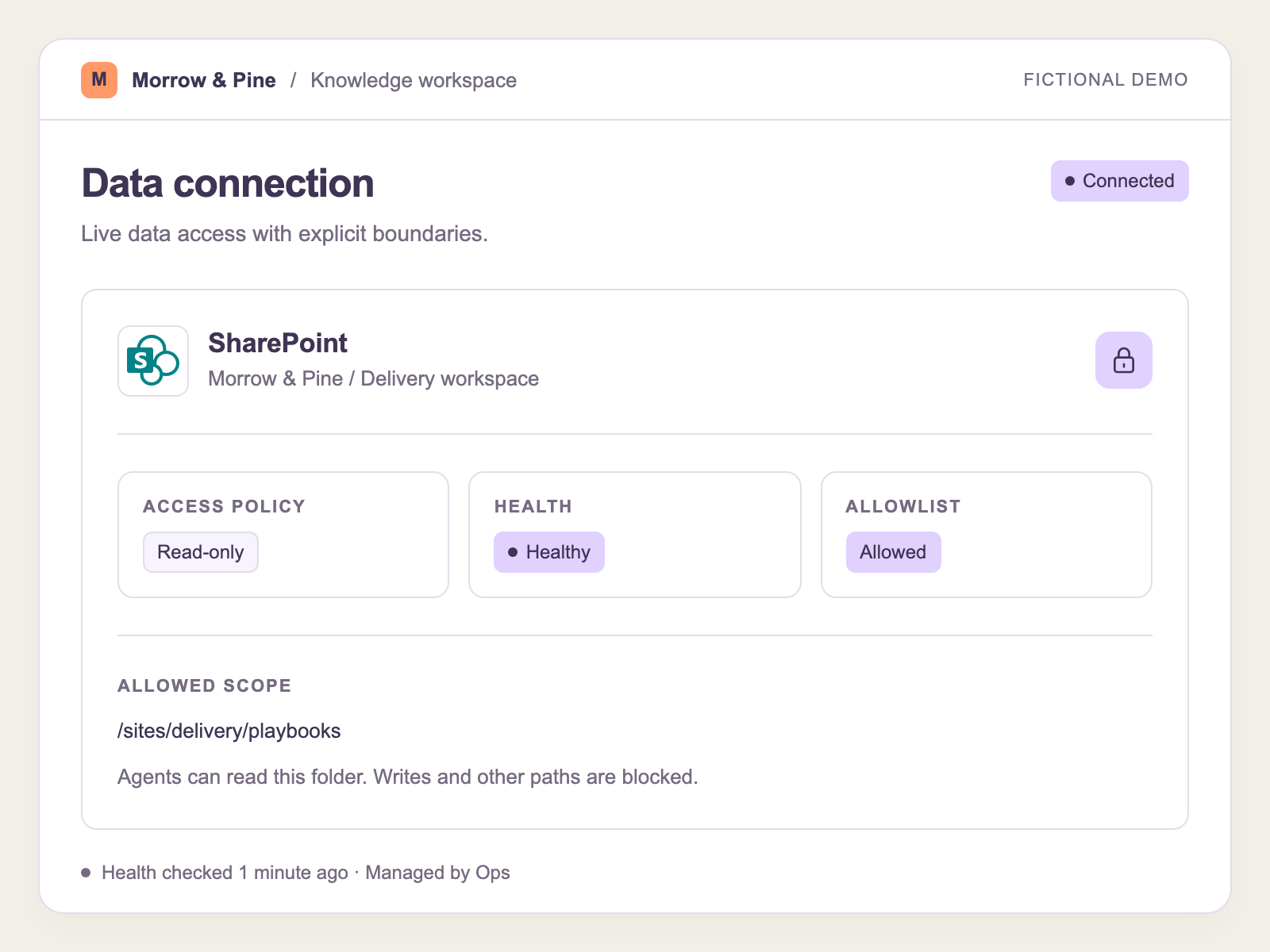
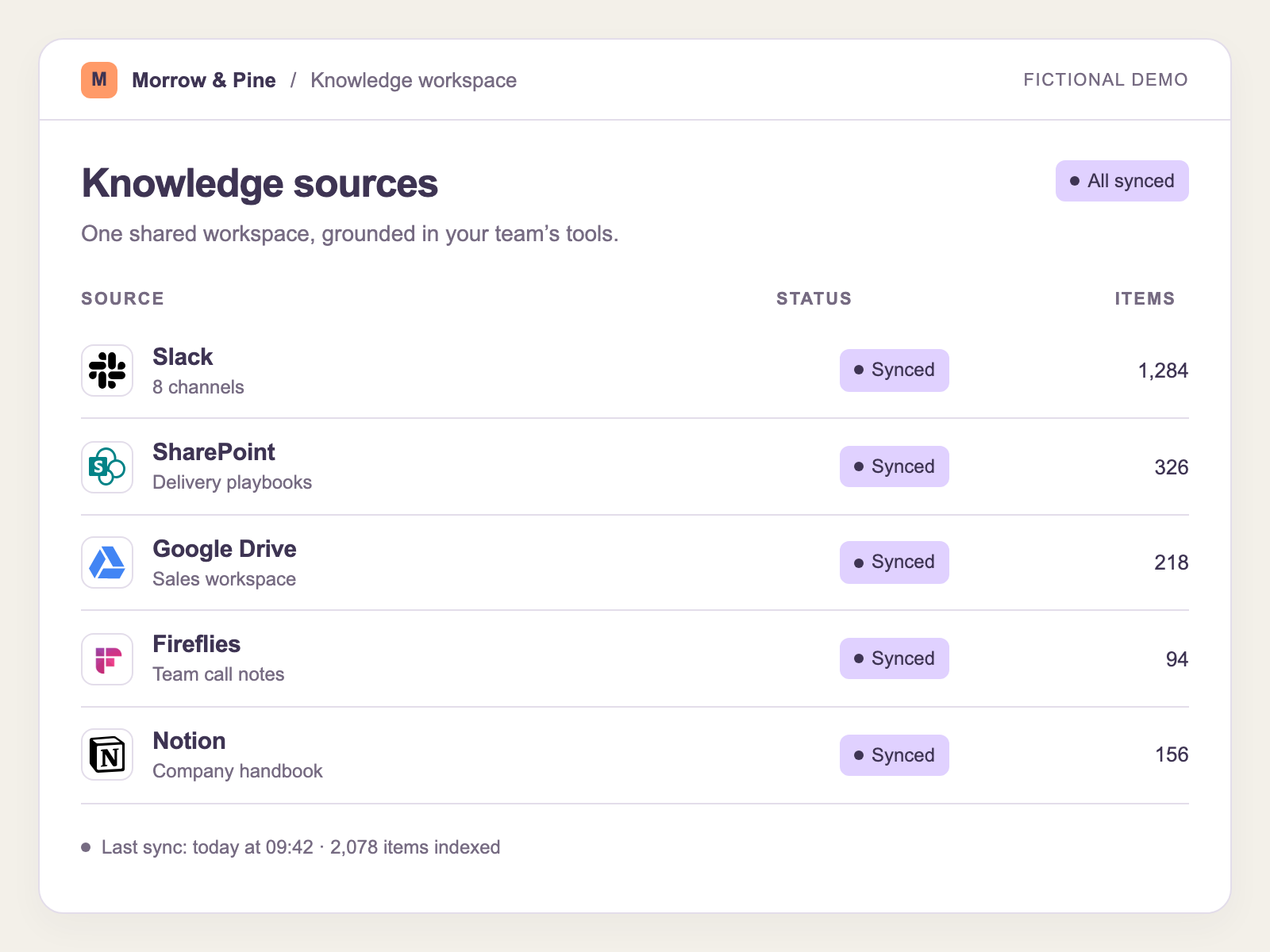
A Oiya connection is a pointer to a data source: a Google Drive folder, a SQL database, a CRM feed, a Snowflake warehouse. You're not moving data. You're not building ETL. You're telling your agents: "when you need candidate search history, it lives here."
That's the whole trick. Once an agent resolves a question to a data source, Oiya remembers the path. Next time the agent hits the same kind of problem, it doesn't start from scratch. It goes straight to the source, like a colleague who's done this before and knows which spreadsheet has the answer.
Connect once. Route forever.
The Knowledge Map
A directory, not a warehouse
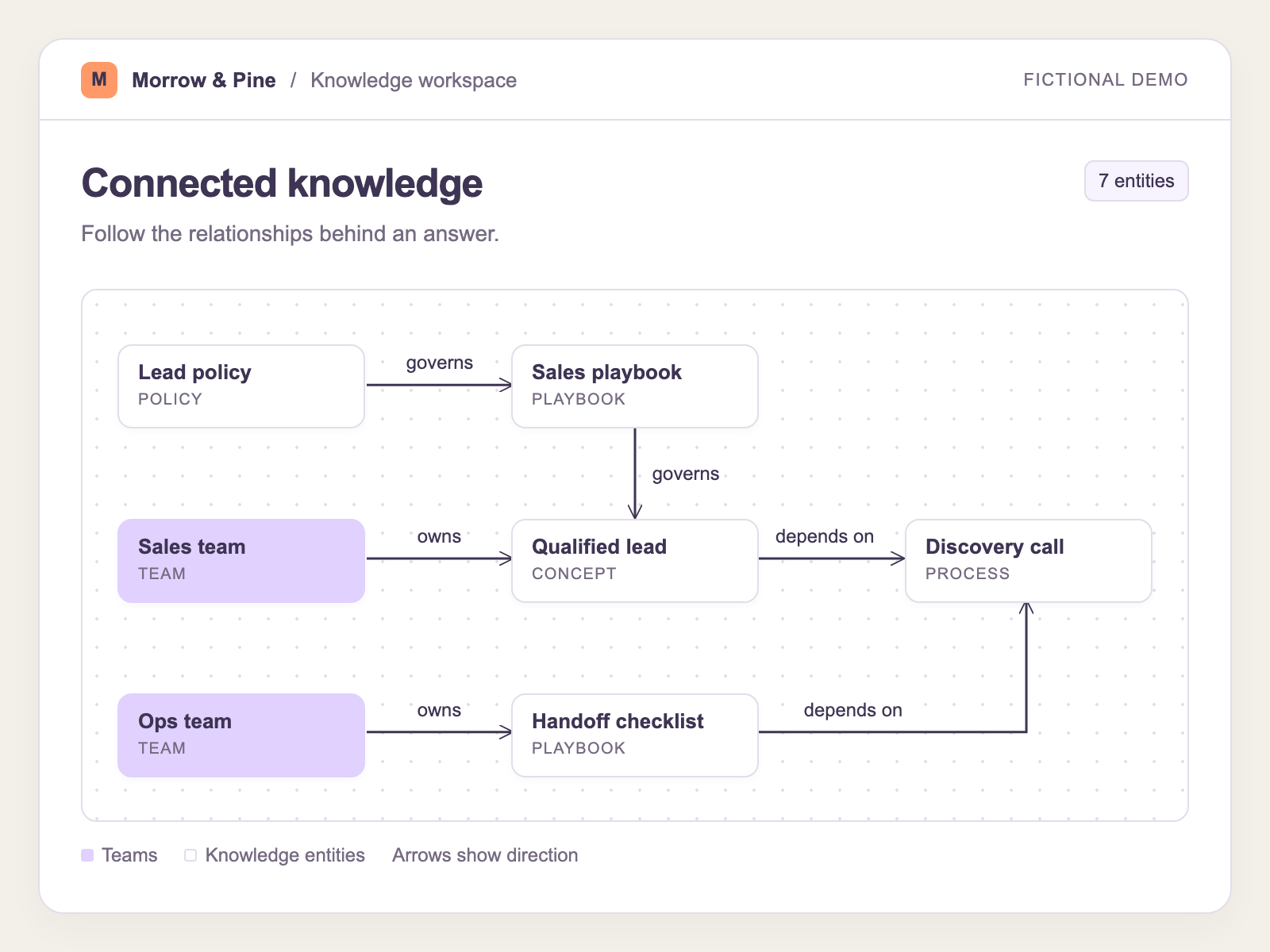
Think about how you navigate a large organization. You don't memorize every document. Instead, you know who to ask and where to look. Oiya works the same way. It maintains a knowledge graph that maps concepts to sources, so your BD agent knows that Acme Corp's contract history lives in Salesforce, not buried in a shared drive somewhere.
The graph grows as your agents work. Every resolved query strengthens the map. Every new connection adds another landmark. Over time, your agents stop being tourists and start being locals: they know the terrain.
If I have this problem, I know where to find the answer.
What this actually saves you
Not a feature list. A shorter path from question to answer.
Fewer wasted calls
Without a directory, agents burn 40-60% of their tool calls on data discovery: probing APIs, testing permissions, retrying failed queries. Oiya front-loads the routing so your agent spends its budget on the actual task, not on figuring out where to start.
No restart loops
An agent that can't find its data will hit a dead end, backtrack, and try a different path. Sometimes three or four times per query. Oiya eliminates the wandering. The agent knows where to go before it takes the first step, because the map already exists.
Persistent memory
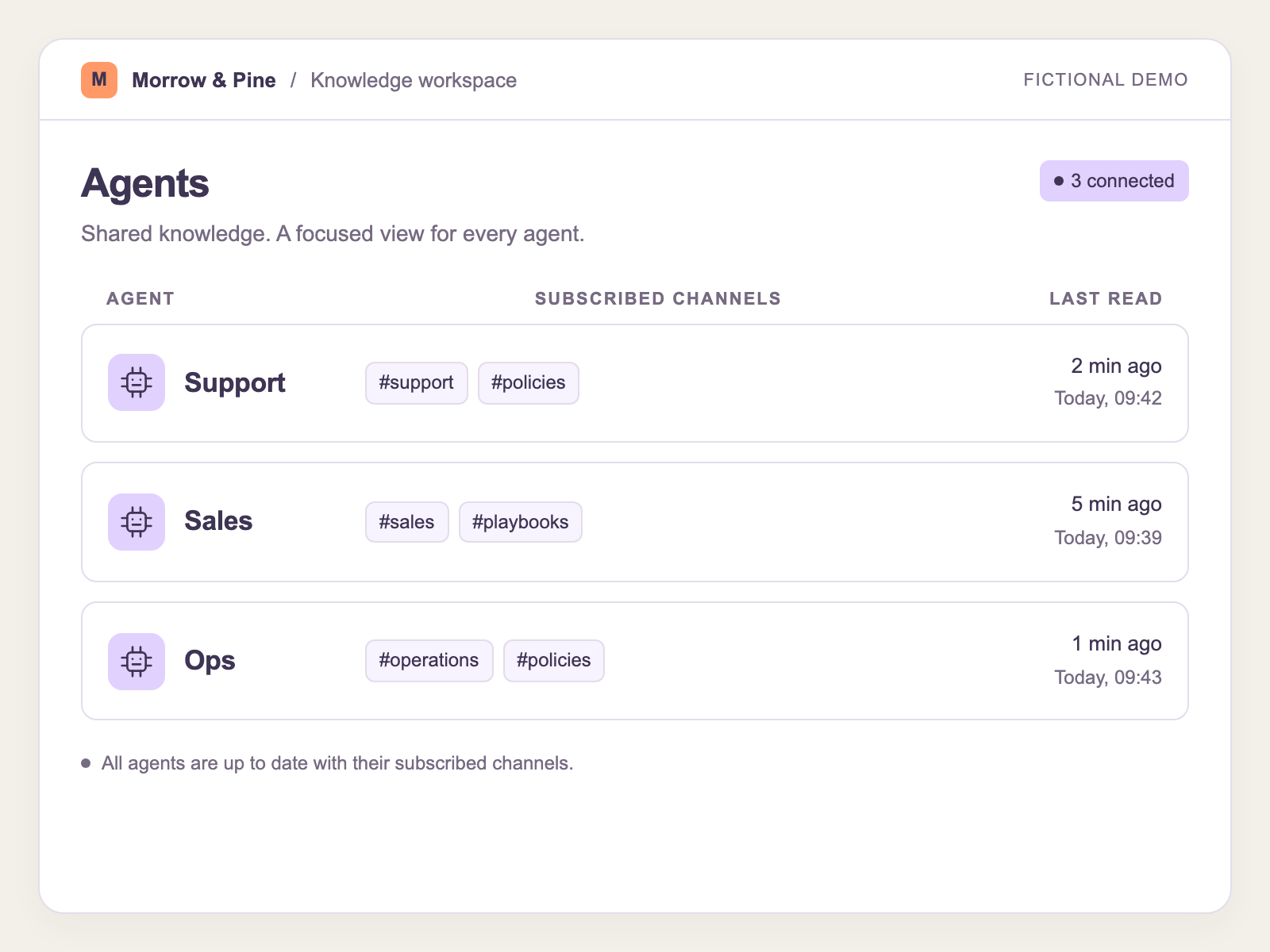
The path from question to data source is learned, not rediscovered every session. When your support agent resolves a billing query through Snowflake today, it knows to go there first tomorrow, and so does every other agent with access to the same connection.
Simple Permissions
Permissions without the paperwork
Traditional data fabrics get caught in permissioning loops. You spend weeks mapping access policies, only to discover half the organization is routing around them because the model is too rigid. Oiya takes a different approach: each connection carries its own policy: allowlisted, connected, read-only, or blocked. That's it.
Your BD agent can read from Acme Corp's candidate searches but can't touch the finance database. Your HR agent sees employee records but not client pipeline data. The permissions follow the connection, not a sprawling ACL spreadsheet. When someone asks "who can access what?", you can actually answer the question.
Governed by design. Not governed by committee.
Give your agents a map, not a magnifying glass.
See how Oiya turns your scattered data sources into a directory that agents actually know how to use.